When Proxies Fail Quietly: Diagnosing Geo Mismatch, Concurrency Spikes, and Route Noise
Your scripts run, responses look “OK”, proxies show as “online and healthy”.
But in real usage:
– Accounts slowly collect more captchas and soft flags.
– Some regions feel much slower and less stable than others.
– As soon as you push volume, weird errors appear, then vanish again.
No big outage, no clear provider error — just a constant feeling the network is quietly working against you.
Most of the time, the real problems aren’t “bad proxies”, but three design issues:
geo mismatch, concurrency spikes, and route noise.
This article is about one thing:
How to check those three angles step by step and reshape your setup so proxies stay stable under real load.
1. What “quiet failure” really looks like
Let’s pin down the symptoms more clearly:
- Pages load, but login, checkout or profile steps see more and more friction.
- Low-volume tests look fine; high-volume runs trigger sudden drops in success.
- The same script is smooth in one region, but painfully slow in another.
- Some accounts die with no obvious incident — just weeks of “slightly off” behavior.
It’s tempting to say “platform risk is stricter now” or “this IP batch is bad”.
Often, though, three silent factors are doing the damage:
- The geo story your traffic tells no longer matches the account’s history.
- Your concurrency pattern has hidden peaks, even if averages look low.
- Your route from worker → proxy → target is noisy and fragile.
2. Geo mismatch: your traffic tells a weird life story
Every platform builds a picture of where an account “lives”:
- Country / region.
- Usual mix of mobile / desktop / web usage.
- Normal locations for logins, payments and other sensitive events.
You break that picture when:
- Accounts are created and warmed up in one region, then operated long-term from another with no clear change.
- Frontend browsing uses one country, settings and billing updates use a second, reporting uses a third.
- Login flows jump between mobile-looking exits and datacenter-looking exits without a pattern.
One odd session is fine. But at scale the system sees:
“This doesn’t look like one person using a few networks. It looks like many actors jumping around.”
To fix that, you need to:
- Assign each account a clear home region.
- Use a small, stable set of exits per account that match that region.
- Define when geo moves are allowed (for example after a cooling period), not drift randomly.
3. Concurrency spikes: averages lie, bursts get you flagged
Most teams comfort themselves with averages:
- “We’re only at 20–30 requests per second.”
- “Just a few thousand logins per hour.”
Risk systems don’t care about daily averages. They react to bursts:
- Many accounts doing similar actions in the same few seconds.
- Short storms of sensitive calls (logins, posts, payments).
- Tight clusters around certain endpoints.
This often comes from:
- Cron jobs that wake all workers at the same moment.
- Daily tasks forced into one small window because it’s easier to schedule.
- Error handlers that retry immediately, turning one failure into a spike.
From the outside, it looks less like normal usage and more like a coordinated bot wave.
You don’t need less traffic — you need smoother traffic:
- Stagger account starts and heavy jobs over wider windows.
- Set per-account and per-task limits for logins, profile edits, payments.
- Use backoff on errors (wait longer after repeated failures), not instant retry loops.

4. Route noise: the hidden cost of too many layers
Route noise is everything on the path from your worker to the target:
- System VPN, then a proxy client, then maybe another tunnel on top.
- Local DNS pointing at one edge location, proxy exit pointing at another.
- Exit choices that ignore real distance to the target.
The symptoms:
- Some requests are snappy, others crawl, without config changes.
- Random connection resets or timeouts that disappear when retried.
- Workers “in the same region” show very different response times.
Each extra hop is another chance for congestion, packet loss, or misrouting. The proxy node may be fine, but the path is messy.
To reduce route noise:
- Strip out layers you don’t truly need — don’t chain VPN → proxy → tunnel just because you can.
- Make DNS and exit region consistent so you hit the same side of the target’s network.
- Prefer exits that are close to the target, not only close to your own servers.
5. A simple diagnostic flow you can reuse
When things feel “quietly wrong”, walk through this checklist:
- Geo story check
- For a few troubled accounts, write down:
- Where they were created.
- Where they were warmed up.
- What regions their current exits are in.
- If those answers jump across continents, you have a geo mismatch problem.
- Concurrency map
- Look at timestamps of logins, posts, and other key actions.
- Find minutes where many accounts act at once.
- Those peaks usually line up with captchas, soft locks and throttling.
- Route trace
- Map worker → VPNs (if any) → proxy exit → target.
- Count regions and layers.
- If you see “local VPN + remote proxy + remote DNS + target in a third place”, you’ve built yourself route noise.
- Fix order
- First, fix geo: each account stays in one region, on a short list of exits.
- Second, smooth concurrency: stagger starts, add backoff, cap sensitive actions.
- Third, simplify routes: remove layers, align DNS and exits with the target.
Only after this should you seriously blame the provider.
6. Newbie example: one platform, two regions, fewer flags
Say you manage 30 accounts on one platform:
- 20 accounts aimed at US users.
- 10 aimed at European users.
- You have 20 US residential exits, 10 EU residential exits, plus some datacenter IPs for scraping.
Right now you:
- Let all 30 accounts use any proxy.
- Run most heavy work in one job window.
- Sometimes chain a corporate VPN on top of your proxy client.
A cleaner, beginner-friendly layout:
- Give each US account a home region “US” and a fixed pair of US exits (primary + backup).
- Do the same for EU accounts with EU exits.
- Use those exits only for logins, profile and billing actions.
- Spread posting and other active work across different slots instead of one block.
- Run scraping and heavy reporting on datacenter exits only — never through those identity exits.
- Drop the extra VPN unless you absolutely need it for policy reasons.
This isn’t fancy. It’s consistent, boring, and easy for the platform to model as “normal life” — which is exactly why flags go down.
6.1 Where YiLu Proxy actually helps
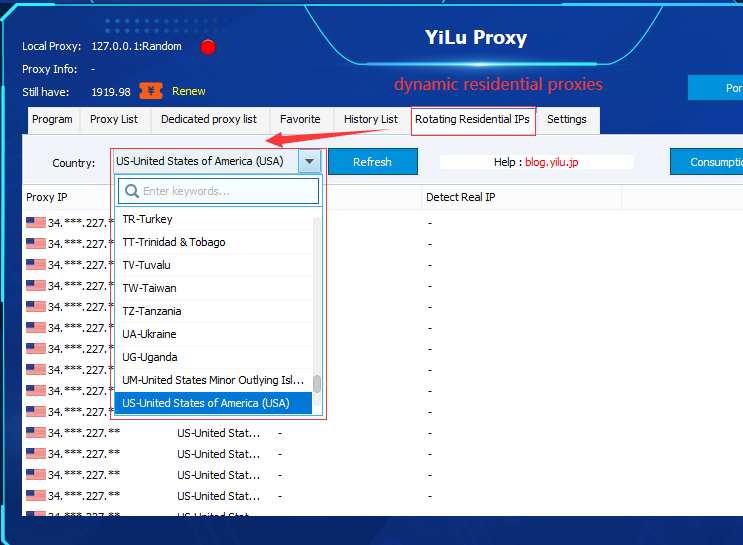
All of this is much easier if your proxy layer matches how you want to run traffic. YiLu Proxy gives you residential, datacenter, and mobile exits in many regions, plus grouping and tags that map neatly to “US login pool”, “EU posting pool” or “global scraping pool”. Instead of juggling raw IP lists, you define region- and task-based pools in the YiLu dashboard, watch latency and success rates per node, and quietly remove noisy routes without touching your app logic. If you’re serious about fixing geo mismatch, smoothing concurrency, and cutting route noise, a structured proxy layer like YiLu lets you spend time on design instead of endless IP firefighting.
7. What “better” looks like
You’ll know the redesign is working when:
- Captchas and extra verification prompts per account clearly decline.
- Incidents are local: one pool or region misbehaves, not your whole fleet.
- Response times are more stable and predictable across workers.
- When an account dies, you can usually point to a concrete mistake instead of “no idea”.
When proxies fail quietly, the instinct is to shop for yet another provider.
Often the faster win is to clean your own story first:
- Match exits to account geos.
- Smooth out concurrency spikes.
- Trim route noise.
Do those three things, and the same proxy fleet will suddenly feel far more stable than before.